Choosing a High-Performance Router for a business in 2026 is not just a matter of buying the fastest box. The right choice depends on actual traffic, network layout, security needs, and the cost of downtime. A busy office may need stable connections for video calls, cloud applications, payment systems, and dozens of staff devices—all at once. A router that performs well in a lab may struggle when those demands overlap.
Internet pioneer Vint Cerf has said, “The Internet is for everyone.” For business buyers, that principle makes reliable access and thoughtful network management essential. Yet no single specification guarantees either. Look beyond headline throughput to real-world performance, VPN capacity, failover options, VLAN support, security updates, and the quality of ongoing support. Check whether the vendor publishes clear test conditions, and compare those results with your own expected workloads. Small details matter. A slow recovery after an internet outage can disrupt an entire workday.
On paper, the decision seems straightforward. In practice, it rarely is. Faster hardware can mean higher costs, more complex setup, or features your team will never use. And a specification sheet cannot predict every bottleneck in your office. This guide examines what business buyers should assess when comparing leading models, from branch-office gateways to routers built for demanding, multi-user environments. It aims to make the trade-offs clearer—not to pretend one device fits every business. Before choosing, consider your current network and how it may change over the next few years.
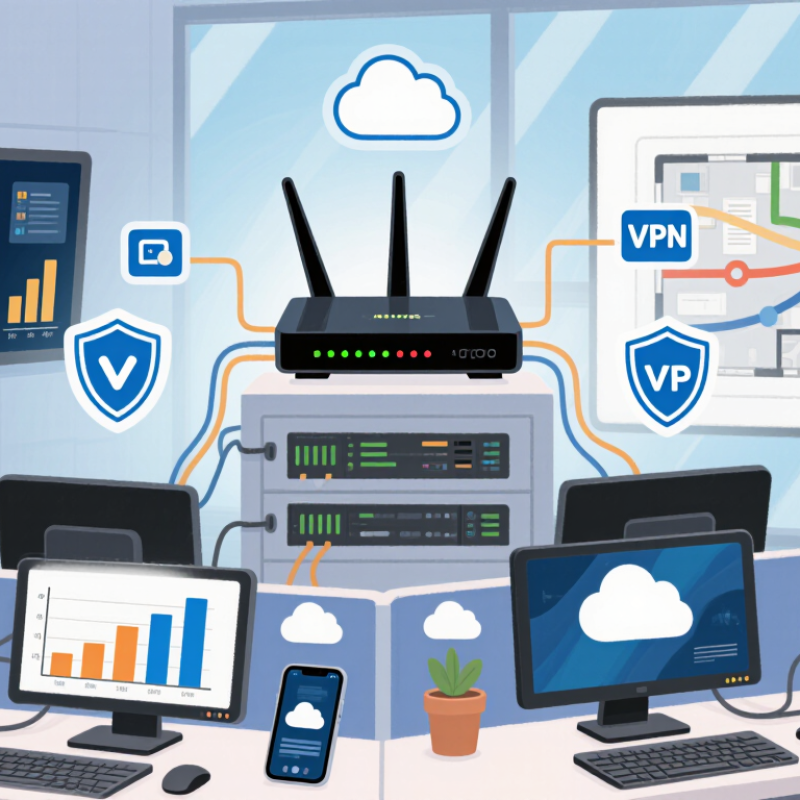
A high-performance business router is not defined by its top speed alone. It must keep calls clear, cloud applications responsive, and guest Wi-Fi separate during busy hours. Gartner’s 2018 edge-computing forecast projected that 75% of enterprise-generated data would be created and processed outside traditional data centers or cloud environments by 2025, up from 10% in 2018. That shift makes stable local routing, low latency, and sufficient capacity for simultaneous devices increasingly important. Still, a spreadsheet can flatter. Measure performance with real workloads, including video meetings, file transfers, and peak-hour traffic.
Security is part of performance, too. Verizon’s 2024 Data Breach Investigations Report found that 68% of breaches involved a non-malicious human element, such as an error or social engineering. A business router should support network segmentation, secure administration, timely firmware updates, and clear access controls. Useful details include how quickly it recovers after an internet interruption and whether staff can monitor traffic without specialist tools. Check the actual throughput with security features enabled; advertised maximums may not reflect that setting. Small offices may also need reliable guest access and coverage through walls, not just impressive speed beside the router. There is no perfect specification. Test where people work.
What defines a high-performance business router? Compare the maximum theoretical aggregate data rates of major Wi-Fi generations.
These are maximum theoretical aggregate PHY rates associated with each Wi-Fi generation, not expected speeds for a single device. Actual performance depends on router configuration, client devices, interference, and network conditions. Business buyers should also assess wired ports, coverage, security, and management features.
Business router performance is not one speed number. Buyers should measure throughput, latency, jitter, packet loss, and performance under concurrent load. RFC 2544’s benchmarking methodology uses throughput, latency, and frame loss to assess network equipment. For a practical comparison, test wired traffic first, then repeat over Wi-Fi with several active devices. Include a video call, a large file transfer, and routine cloud access. Not just an empty lab. Record results at different times, because a quiet morning can hide an overloaded afternoon.
The ITU-T Y.1541 recommendation sets Class 0 network objectives of 100 milliseconds for mean packet-transfer delay, 50 milliseconds for packet-delay variation, and a packet-loss ratio of 0.001. These are end-to-end network objectives, not a promise that any router will meet them alone. Separate local router results from internet-path results; otherwise, an external bottleneck can distort the comparison. Track latency under load, not only when the network is idle. One limitation remains: brief tests may miss congestion during a busy workday. Repeat them with realistic client counts, and keep the test conditions consistent. Slightly inconvenient, but more honest.
The right business router depends less on headline speed than on how work moves through the site.
A design studio sending large project files needs steady wired throughput and enough ports for workstations, storage, and access points. A small clinic may care more about separate staff and guest networks, reliable video calls, and controlled remote access.
Count peak, not average. Include cameras, payment terminals, phones, and cloud backups; quiet devices still compete for capacity. Advertised throughput may not reflect performance with firewall inspection or VPN encryption enabled.
Also consider who will manage the network. Without dedicated IT staff, clear alerts and straightforward configuration can matter as much as raw speed. Check how security updates are delivered and whether support fits your team’s schedule.
Test before rollout. In multi-floor offices, walls and equipment can weaken wireless coverage, so map busy rooms and test signal strength there. A tidy floor plan can still mislead.
There is no perfect sizing formula; real traffic is messier than a spreadsheet. Choose for realistic growth, but avoid paying for capacity your devices and internet connection cannot use. Ask for performance figures under the features you plan to enable, then verify them during a trial.
A business-grade router earns its place through control and consistency, not a large speed number on its box. Coverage matters, but so do stable connections when video calls, cloud backups, and point-of-sale devices compete for bandwidth. Look for support for separate network segments, so guest Wi-Fi stays apart from staff devices and internal systems. Quality-of-service controls can prioritize voice or business applications during busy periods. For example, a video meeting should not freeze just because several computers start downloading updates. Small details matter.
Security and maintenance deserve equal attention. Check for timely firmware updates, strong administrative controls, and clear logs that help staff investigate connection problems. VPN support can give authorized remote workers a protected route into the office network, while automatic failover can keep service available if the primary internet connection drops. Performance claims need context: test them with the number of devices and the types of traffic your office actually uses. A useful management dashboard should show connected devices and unusual usage without requiring an expert to decode it. Test it under load. More features can also mean more settings to maintain, and a complicated setup is easy to misconfigure. Choose controls your team can operate reliably, even on a hectic Monday.
A practical comparison of the capabilities to assess when selecting a router for an office, retail site, or distributed business.
| Feature Area | Business-Grade Capability to Look For | Why It Matters | Buyer Check |
|---|---|---|---|
| Wi-Fi generation | Wi-Fi 6, Wi-Fi 6E, or Wi-Fi 7 support, with the generation and supported frequency bands clearly specified. | Newer Wi-Fi generations can improve capacity and efficiency in suitable environments, but actual performance depends on client devices, radio conditions, and configuration. | Confirm that employee devices support the same generation and bands; do not treat advertised link rates as expected internet speeds. |
| Wireless capacity | Documented support for multiple access points or a managed wireless system, if one router cannot cover the premises. | Large or busy workplaces may need multiple access points for coverage and client capacity rather than a single higher-rated router. | Plan placement and coverage; check whether access points can be centrally managed and whether roaming is supported. |
| WAN connectivity | Gigabit Ethernet WAN at minimum for many small offices; faster WAN ports may suit multi-gigabit internet plans. Dual-WAN support is useful where available. | WAN port speed can limit throughput, while a second connection can support failover or load distribution when configured. | Match port speeds to the internet service and modem or ONT; verify how failover works and whether it requires configuration. |
| LAN ports and switching | Enough Ethernet ports for wired equipment, or compatibility with a separate managed switch. Multi-gigabit ports may be useful for compatible devices. | Wired connections are often appropriate for servers, network storage, desk phones, and fixed workstations. | Count required wired connections and check port speeds, uplink options, and any stated switching capacity. |
| Network segmentation | Support for IEEE 802.1Q VLAN tagging and separate guest or staff networks. | Segmentation helps separate traffic between groups of devices when paired with appropriate firewall rules and network design. | Check that VLANs can be assigned to the required ports and wireless networks, not merely listed as a feature. |
| Wireless security | WPA3 support where compatible; WPA2-Enterprise or WPA3-Enterprise with 802.1X authentication for environments using a RADIUS service. | Enterprise authentication can provide individual credentials and centralized access control. Compatibility varies by client device and configuration. | Check authentication options, RADIUS requirements, guest access controls, and the vendor’s security update policy. |
| Firewall and access controls | Stateful firewall, configurable rules, and controls for inbound, outbound, and inter-network traffic. | These controls help administrators apply policies between the internet, internal networks, and guest devices. | Review rule granularity, logging, default settings, and whether advanced security services have separate costs. |
| Quality of Service | Traffic prioritization or QoS controls for applications such as voice and video calls. | QoS can help manage congestion on a shared connection, but it cannot increase the capacity of an undersized internet link. | Check whether prioritization is configurable by application, device, or traffic class, and test it under realistic load. |
| VPN connectivity | Support for commonly used VPN options, such as IPsec or WireGuard, with clearly stated client and site-to-site capabilities. | VPNs can provide encrypted connectivity for remote users or links between sites, subject to configuration and endpoint compatibility. | Verify supported protocols, concurrent tunnel limits, authentication options, and measured VPN throughput if available. |
| IPv6 | IPv6 support for the relevant WAN connection and local network, including firewall handling. | IPv6 availability and configuration depend on the internet provider and the business network’s requirements. | Confirm provider compatibility and check that IPv6 firewall policies are configurable and enabled appropriately. |
| Administration and monitoring | Role-based administration, status monitoring, event logs, configuration backup, and secure remote management options. | Clear administration tools make routine changes and troubleshooting easier, especially across multiple sites. | Check access controls, logging detail, alert options, and whether management depends on an external cloud service. |
| Reliability and support | Published warranty terms, firmware update history, support channels, and documented recovery or configuration restore procedures. | Business continuity depends on maintainability and support as well as raw performance. | Compare warranty coverage, update commitments, replacement options, and the process for restoring a saved configuration. |
| Performance verification | Independent throughput testing for the intended workload, including routing, VPN, and security features where applicable. | Performance can vary substantially when encryption, filtering, or multiple services are enabled. | Compare tested results with the expected number of users, internet speed, concurrent sessions, and required security features. |
Selection note: There is no single best router for every business. Choose based on internet speed, coverage area, client count, security requirements, wired-device needs, and support expectations. Feature availability and performance vary by model and configuration.
Choosing a high-performance router starts with the network it must serve, not the largest speed figure on its box. A small office running cloud apps and video calls needs steady performance across many simultaneous connections. A warehouse may need broad wireless coverage, smooth roaming, and dependable wired links for scanners. A branch with local servers may benefit more from network segmentation and dual-WAN failover. Check throughput with security, VPN, and traffic controls enabled. Peak figures can mislead.
Compare models using your actual workload. Estimate the number of users and devices, then check whether the router can handle busy periods without adding noticeable latency. Review supported Wi-Fi standards, wired port speeds, VPN capacity, and management tools. For several sites, centralized monitoring can reduce troubleshooting time. For one compact office, it may be unnecessary overhead. I would not choose on speed alone; it is easy to overlook how much security features affect real-world performance. Test under normal conditions if possible.
Tips: Map dead zones, count connected devices, and list essential applications before comparing specifications. Ask for measured throughput with security features enabled. Leave room for growth, but avoid paying for capacity your network will not use.
Start with how work moves through the site. Count workstations, cameras, phones, payment terminals, and cloud backups during peak periods.
Firewall inspection and VPN encryption can reduce performance. Ask for figures with your planned features enabled, then test them.
Separate staff and guest networks help keep visitor Wi-Fi apart from internal devices. This is especially useful in a small clinic or busy office.
Quality-of-service controls can prioritize voice or business applications. They may help when several computers download updates at once.
Look for timely firmware updates, strong administrative controls, and clear logs. VPN support can provide authorized remote workers with a protected route into the office.
Test signal strength in busy rooms, especially across multiple floors. Walls and equipment can weaken coverage. A neat floor plan can fool you.
Automatic failover may keep service available through another connection. Confirm that the feature suits your setup.
Pick a dashboard staff can operate reliably. It should show connected devices and unusual usage without expert knowledge. Test it first.
Plan for realistic growth, but avoid paying for capacity your devices and internet connection cannot use. Our estimate may still be off; real traffic is messy.
Choosing the right High-Performance Router in 2026 means looking beyond headline speeds. Businesses should consider how a router handles multiple users and devices, manages traffic during busy periods, and maintains dependable connections across the network. Performance can be assessed through practical measures such as throughput, latency, capacity, coverage, and stability under sustained workloads—not just ideal laboratory results.
The best fit depends on the organization’s size, applications, number of locations, and plans for growth. Business-grade features such as strong security controls, network management tools, reliable service, and support for current connectivity standards can also make a meaningful difference. When comparing options, match capabilities to real network demands, account for installation and ongoing costs, and leave room for future expansion. A thoughtful comparison helps buyers select a router that balances speed, reliability, security, and long-term value.

BD Medical